
每个模块都具有推荐位功能,用于将这篇文字推荐到哪个区域去显示,前端网页上我们再调用这个区域的数据即可。
<video class="edui-faked-video video-js" controls="" preload="none" width="420" height="280" src="https://file.xunruicms.com/gwbbs/ueditor/video/202009/1600350042aa1937.mp4" style="border: 2px solid rgb(241, 243, 244); padding: 10px; border-radius: 5px; margin: 5px;"></video>
有些版本推荐位管理位置在:
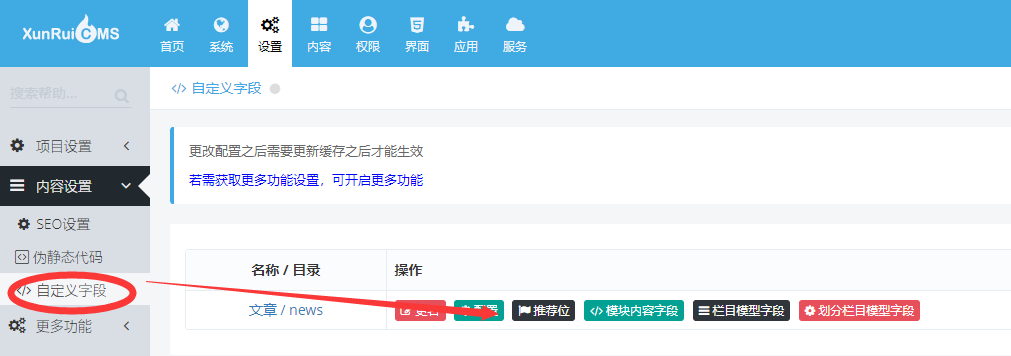
1、定义推荐位
从你需要定义的模块中进入,比如新闻模块的推荐位
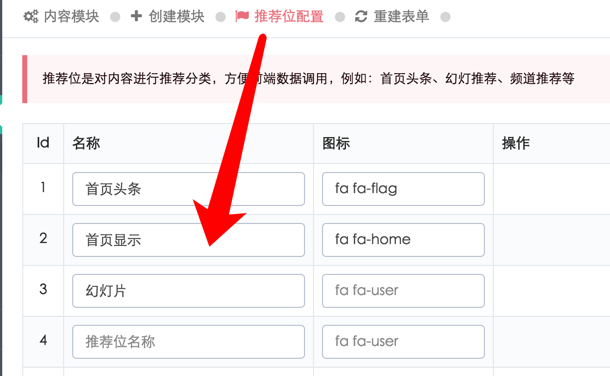
如要删除已经创建好的推荐位,可以把名称一栏数据删除再保存一次,即可消失!
保存完毕,更新缓存再进入对应的内容管理之中
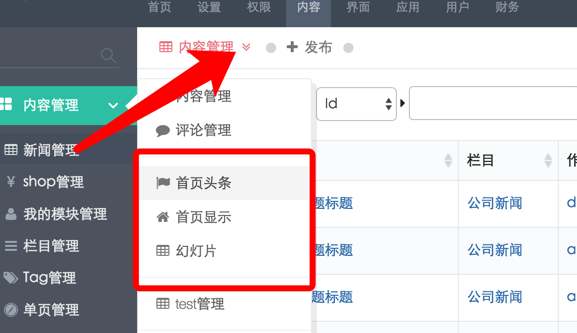
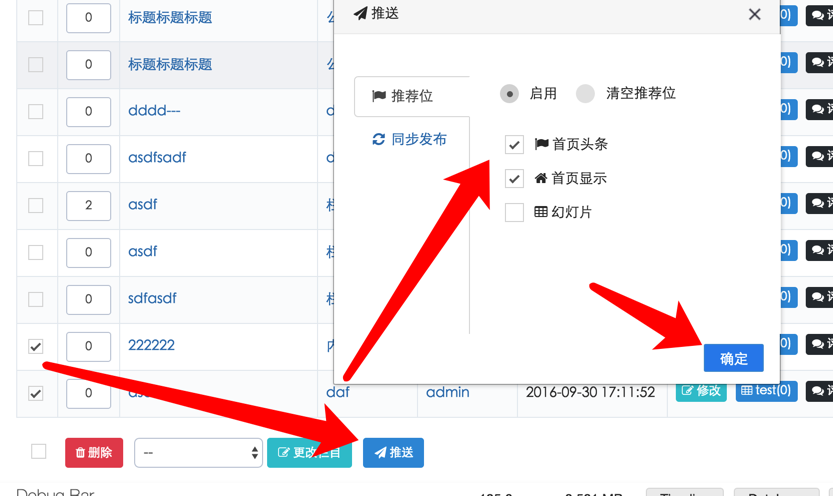
2、推送到推荐位
是在内容管理下方批量推送
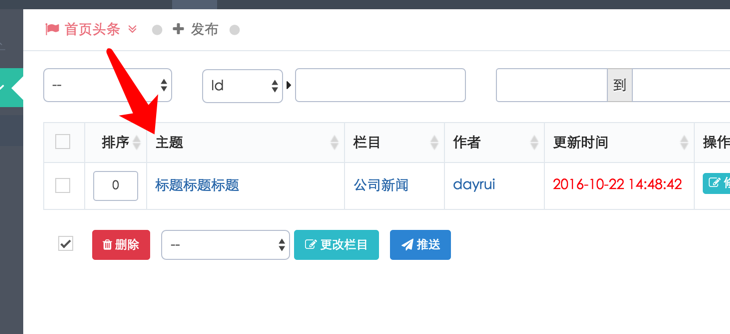
3、管理你的推荐数据
------------------------------------
前端页面调用推荐位中的文章内容
<textarea class="form-control" style="font-size: 13px; overflow-y: hidden; resize: vertical; width: 961.277px; height: 180px; padding: 12px 10px; font-weight: 400; border-width: 0px; border-style: initial; border-color: initial; min-height: 55px; max-height: 500px; margin-top: 0.7rem !important; margin-bottom: 1.1rem !important; line-height: 1.5 !important; color: rgb(229, 231, 235) !important; background: rgb(11, 17, 32) !important; border-radius: 8px !important; box-shadow: none !important; outline-style: none !important; outline-width: initial !important;"></textarea>
http://help.xunruicms.com/15.html
------------------------------------
当前模块遍历有哪些推荐位?
<textarea class="form-control" style="font-size: 13px; overflow-y: hidden; resize: vertical; width: 961.277px; height: 82px; padding: 12px 10px; font-weight: 400; border-width: 0px; border-style: initial; border-color: initial; min-height: 55px; max-height: 500px; margin-top: 0.7rem !important; margin-bottom: 1.1rem !important; line-height: 1.5 !important; color: rgb(229, 231, 235) !important; background: rgb(11, 17, 32) !important; border-radius: 8px !important; box-shadow: none !important; outline-style: none !important; outline-width: initial !important;"></textarea>
适用于当前模块的模板页面使用!